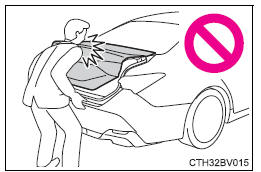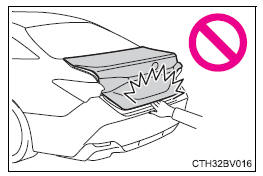
Opening the trunk from inside the vehicle
Press the trunk opener switch.
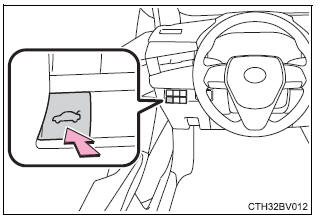
Opening the trunk from outside the vehicle
Smart key system
While carrying the electronic key, press the button on the trunk lid.
When all the doors are unlocked using one of the following methods, the trunk can be opened without the electronic key:
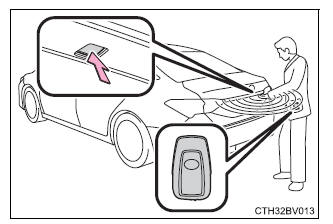
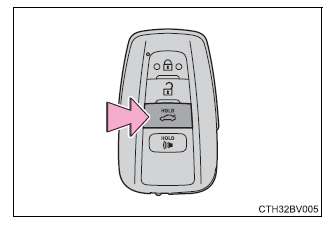
Wireless remote control
Press and hold the switch.
A buzzer sounds.
â– Trunk light The trunk light turns on when the trunk is opened.
â– Function to prevent the trunk being locked with the electronic key inside
In this case, the trunk lid can be opened by pressing the trunk release button on the trunk lid.
Make sure to check where the key is before closing the trunk.
â– Open trunk warning buzzer If the vehicle reaches a speed of 3 mph (5 km/h), the master warning light flashes and a buzzer sounds to indicate that the trunk is not yet fully closed.
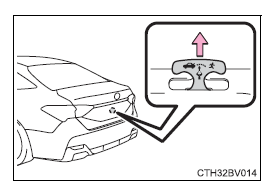
â– Internal trunk release lever The trunk lid can be opened by pulling up the glow-in-the-dark lever located on the inside of the trunk lid.
The lever will continue to glow for some time after the trunk lid is closed.
â– Using the mechanical key The trunk can be also opened using the mechanical key.
â– If the smart key system or the wireless remote control does not operate properly Use the mechanical key to unlock the trunk. Replace the key battery with a new one if it is depleted.
â– Customization Some functions can be customized.
| WARNING Observe the following precautions. Failure to do so may result in death or serious injury. â– Before driving
â– Important points while driving Never let anyone sit in the trunk. In the event of sudden braking or a collision, they are susceptible to death or serious injury. |
| WARNING â– Using the trunk Observe the following precautions. Failure to do so may cause parts of the body to be caught, resulting in serious injury.
|
Toyota Avalon (XX50) 2019-2022 Service & Repair Manual > Sfi System: Lost Communication with TCM Missing Message (U010187). Lost Communication with Instrument Panel Cluster (IPC) Control Module Missing Message (U015587). VC Output Circuit
Lost Communication with TCM Missing Message (U010187) MONITOR DESCRIPTION The engine control unit and the transmission control unit are located inside the ECM. The engine control unit intercommunicates with the transmission control via CAN communication. If there is a problem in this communication, ...